Create a file named tmux-spotify-info and place it in a directory that in your
$PATH. Add the following snippet of code into the file and make sure it is
executable.
#!/usr/bin/env osascript# Returns the current playing song in Spotify for OSX
tell application "Spotify" if it is running then if player state is playing then set track_name to name of current track set artist_name to artist of current track
"#[fg=colour39,nobold]#[fg=colour16, bg=colour39, nobold] " & artist_name & " - " & track_name & " #[bg=colour39]" end if end ifend tellAdd this to the end of ~/.tmux.conf
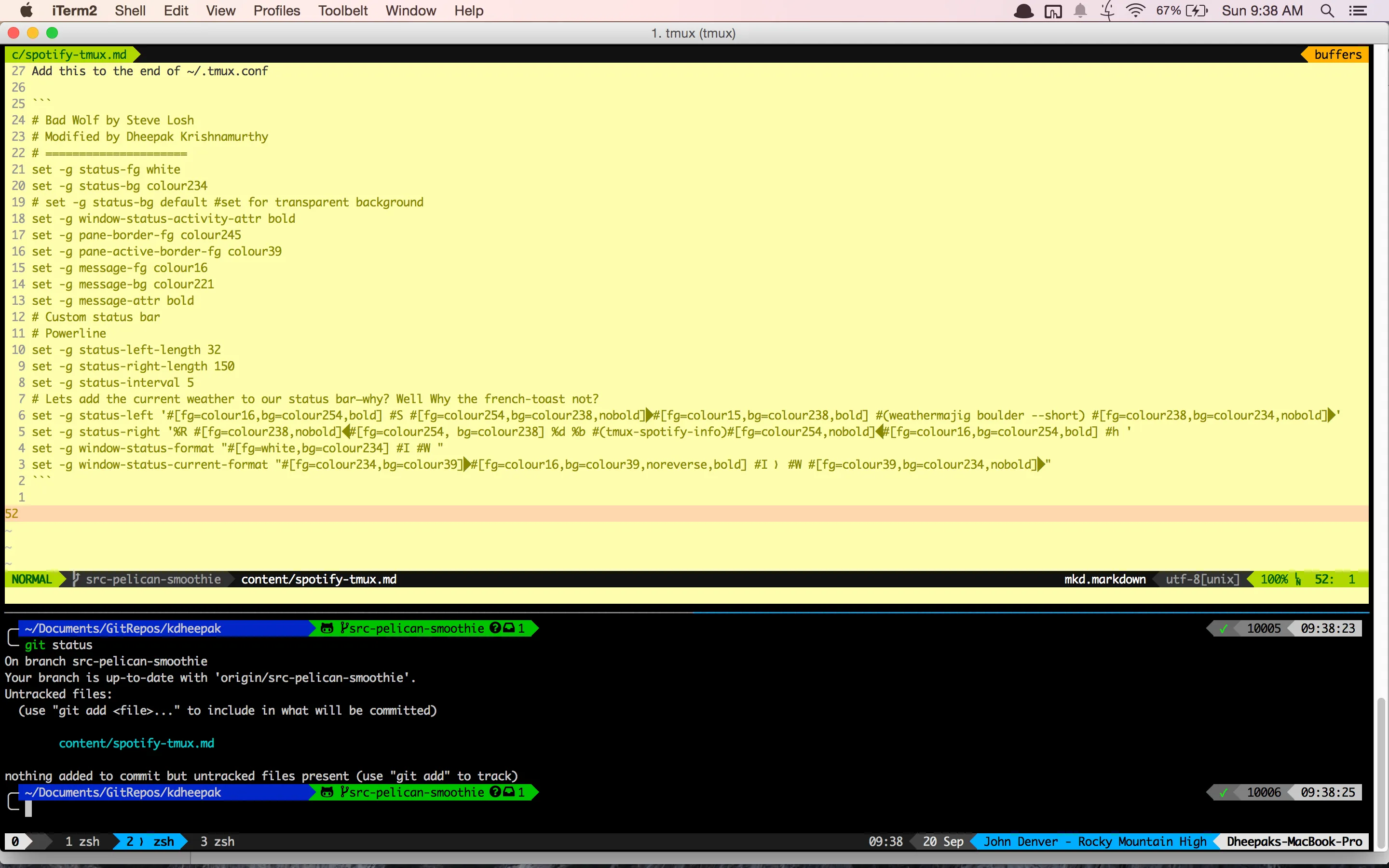
# Bad Wolf by Steve Losh# Modified by Dheepak Krishnamurthy# =====================set -g status-fg whiteset -g status-bg colour234# set -g status-bg default #set for transparent backgroundset -g window-status-activity-attr boldset -g pane-border-fg colour245set -g pane-active-border-fg colour39set -g message-fg colour16set -g message-bg colour221set -g message-attr bold# Custom status bar# Powerlineset -g status-left-length 32set -g status-right-length 150set -g status-interval 5# Lets add the current weather to our status bar—why? Well Why the french-toast not?set -g status-left '#[fg=colour16,bg=colour254,bold] #S #[fg=colour254,bg=colour238,nobold]#[fg=colour15,bg=colour238,bold] #(weathermajig boulder --short) #[fg=colour238,bg=colour234,nobold]'set -g status-right '%R #[fg=colour238,nobold]#[fg=colour254, bg=colour238] %d %b #(tmux-spotify-info)#[fg=colour254,nobold]#[fg=colour16,bg=colour254,bold] #h 'set -g window-status-format "#[fg=white,bg=colour234] #I #W "set -g window-status-current-format "#[fg=colour234,bg=colour39]#[fg=colour16,bg=colour39,noreverse,bold] #I ❭ #W #[fg=colour39,bg=colour234,nobold]"And your favourite song will be listed in your tmux powerline! You can change the colours by playing the values above.