Table of contents
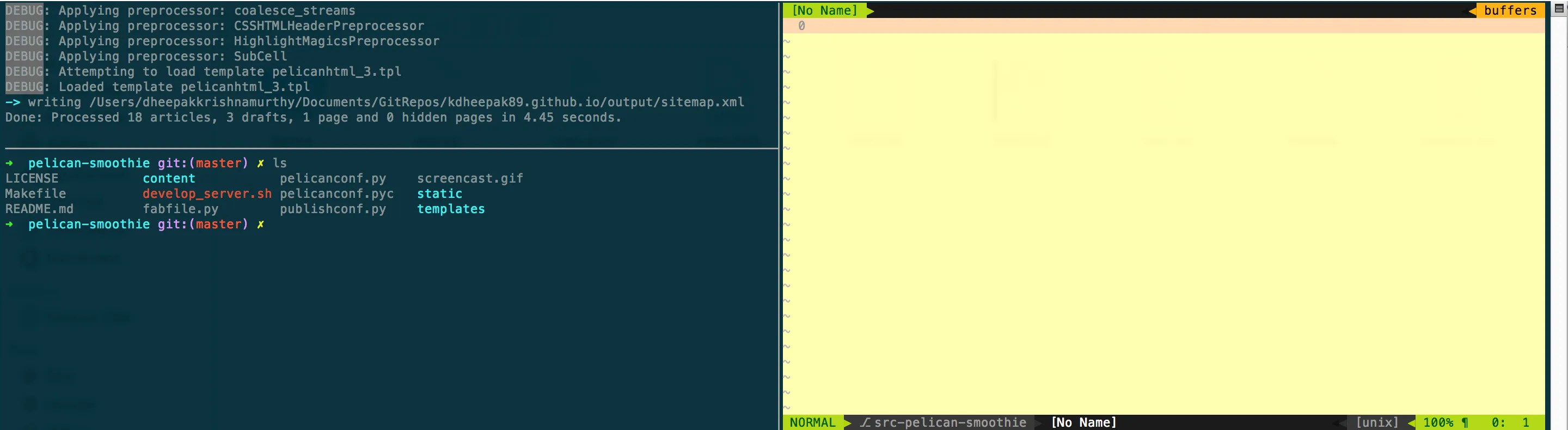
I've not found a greater combination of tools than vim, tmux and zsh. I've detailed below some of the configuration to get it working the way I want it to.
# Change prefix key to `unbind C-bset -g prefix `bind-key ` send-prefixbind-key C-a set-option -g prefix C-abind-key C-b set-option -g prefix `
# we might need ` at some point, allow switchingbind-key C-a set-option -g prefix C-abind-key C-b set-option -g prefix `
setw -g monitor-activity onset -g visual-activity on
set-window-option -g window-status-current-bg yellow
set -g mouse-resize-pane onset-option -g mouse-select-pane onset-option -g mouse-select-window onset-window-option -g mode-mouse on
setw -g mode-mouse onset -g terminal-overrides 'xterm*:smcup@:rmcup@'
# set-option -g default-command "reattach-to-user-namespace -l zsh"
# Use vim keybindings in copy modesetw -g mode-keys vi
bind-key -t vi-copy v begin-selectionbind-key -t vi-copy y copy-pipe "reattach-to-user-namespace pbcopy"
unbind -t vi-copy Enterbind-key -t vi-copy Enter copy-pipe "reattach-to-user-namespace pbcopy"
## Keep your finger on ctrl, or don'tbind-key ^D detach-client
## Pane resize in all four directions using vi bindings.## Can use these raw but I map them to shift-ctrl-<h,j,k,l> in iTerm.bind -r H resize-pane -L 5bind -r J resize-pane -D 5bind -r K resize-pane -U 5bind -r L resize-pane -R 5
## Smart pane switching with awareness of vim splits.## Source: https://github.com/christoomey/vim-tmux-navigatorbind -n C-h run "(tmux display-message -p '#{pane_current_command}' | grep -iqE '(^|\/)g?(view|vim?)(diff)?$' && tmux send-keys C-h) || tmux select-pane -L"bind -n C-j run "(tmux display-message -p '#{pane_current_command}' | grep -iqE '(^|\/)g?(view|vim?)(diff)?$' && tmux send-keys C-j) || tmux select-pane -D"bind -n C-k run "(tmux display-message -p '#{pane_current_command}' | grep -iqE '(^|\/)g?(view|vim?)(diff)?$' && tmux send-keys C-k) || tmux select-pane -U"bind -n C-l run "(tmux display-message -p '#{pane_current_command}' | grep -iqE '(^|\/)g?(view|vim?)(diff)?$' && tmux send-keys C-l) || tmux select-pane -R"bind -n C-\ run "(tmux display-message -p '#{pane_current_command}' | grep -iqE '(^|\/)g?(view|vim?)(diff)?$' && tmux send-keys 'C-\\') || tmux select-pane -l"
set -g default-terminal "xterm"
## No escape time for vi modeset -sg escape-time 0
## Screen like binding for last windowunbind lbind C-a last-window
## Bigger historyset -g history-limit 10000
## New windows/pane in $PWDbind c new-window -c "#{pane_current_path}"
## force a reload of the config fileunbind rbind r source-file ~/.tmux.conf \; display "Reloaded!"
## Easy bindings for splitunbind %bind | split-window -h -c "#{pane_current_path}"bind - split-window -v -c "#{pane_current_path}"
#bind y run 'tmux save-buffer - | reattach-to-user-namespace pbcopy '#bind C-y run 'tmux save-buffer - | reattach-to-user-namespace pbcopy '
# start window numbering at 1set -g base-index 1
# start pane numbering at 1set -g pane-base-index 1
bind-key -n C-S-Left swap-window -t -1bind-key -n C-S-Right swap-window -t +1
## Here is a jewel of a bind which does the task of flipping the orientation of the current pane with the pane before it (in the ordering) -- I had a SO question on this and nobody answered.bind -n M-f move-pane -t '.-'bind M-f move-pane -t '.-'bind -n M-r move-pane -h -t '.-'bind M-r move-pane -h -t '.-'
### Join windows: <prefix> s, <prefix> jbind-key j command-prompt -p "join pane from:" "join-pane -s '%%'"bind-key s command-prompt -p "send pane to:" "join-pane -t '%%'"
zsh
# Path to your oh-my-zsh installation.export ZSH=/Users/dheepakkrishnamurthy/.oh-my-zsh
ZSH_THEME="rawsyntax"
alias vim='mvim -v'
export TERM=xterm-256color
source $ZSH/oh-my-zsh.sh
vim
Plugin 'altercation/vim-colors-solarized'Plugin 'bling/vim-airline'Plugin 'christoomey/vim-tmux-navigator'Plugin 'fholgado/minibufexpl.vim'Plugin 'honza/vim-snippets'Plugin 'jeffkreeftmeijer/vim-numbertoggle'Plugin 'morhetz/gruvbox'Plugin 'plasticboy/vim-markdown'Plugin 'scrooloose/nerdcommenter'Plugin 'scrooloose/nerdtree'Plugin 'searchcomplete'Plugin 'sjl/gundo.vim'Plugin 'tomasr/molokai'Plugin 'tpope/vim-repeat'Plugin 'tpope/vim-surround'